
Unit Dashboard Access
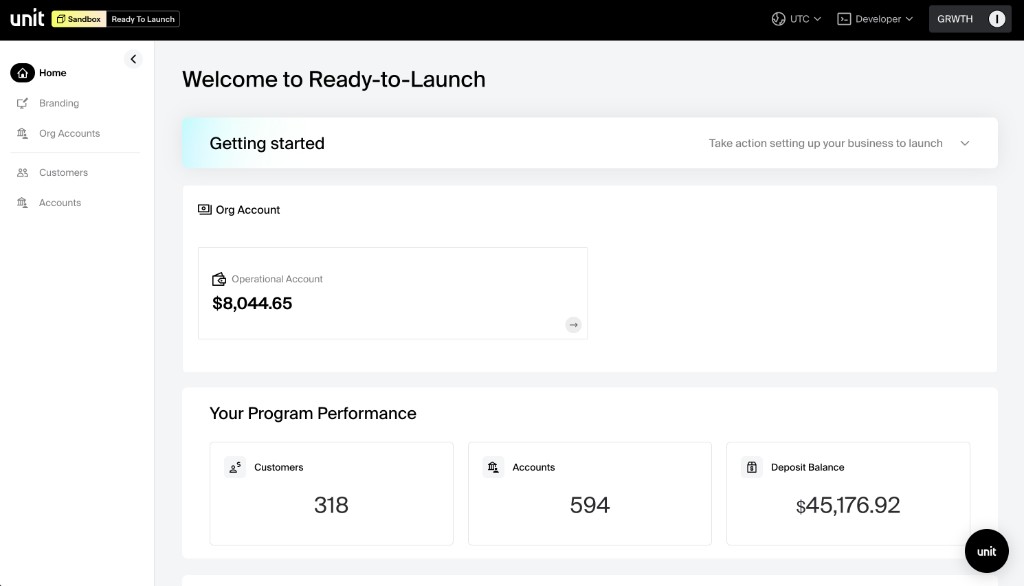
Operational Account
An operational account is a deposit account that belongs to you under your own customer (typically the customer that onboards onto your own product) and is tagged as an operational account by Unit. This account enables you to move funds to other accounts within the organization using book payments.
Common use cases for the operational account include:
- Disbursements — Transfer funds from the operational account to end-user accounts.
- Money funding — Receive and distribute incoming funds across the organization's accounts.
- Initial account funding — Provide an initial balance to newly created accounts based on the organization's custom logic.
The operational account can be viewed and managed in the dashboard's Org Accounts section.
Unit Dashboard Access
The Dashboard is available at app.s.unit.sh for Sandbox and app.unit.co for Production. It serves as the central hub for managing your financial product. The dashboard provides the same capabilities available through the API in a visual interface.
Capabilities
The dashboard provides the following capabilities:
- Authentication setup — Configure JWT authentication for end users.
- Branding theme editing — Customize the look and feel of the embedded experience. Theme editing is available in Sandbox, with a preview available in Production.
- Webhooks and API tokens — Create and manage webhook subscriptions and API tokens for server-to-server communication.
- Prefill endpoint settings — Configure the endpoint Unit calls to pre-fill end-user application data.
- Banking page URL — Define the URL where end users access the banking experience.
- Customers — View all onboarded customers and map to your product's users for analysis and outreach using your customer ID as key.
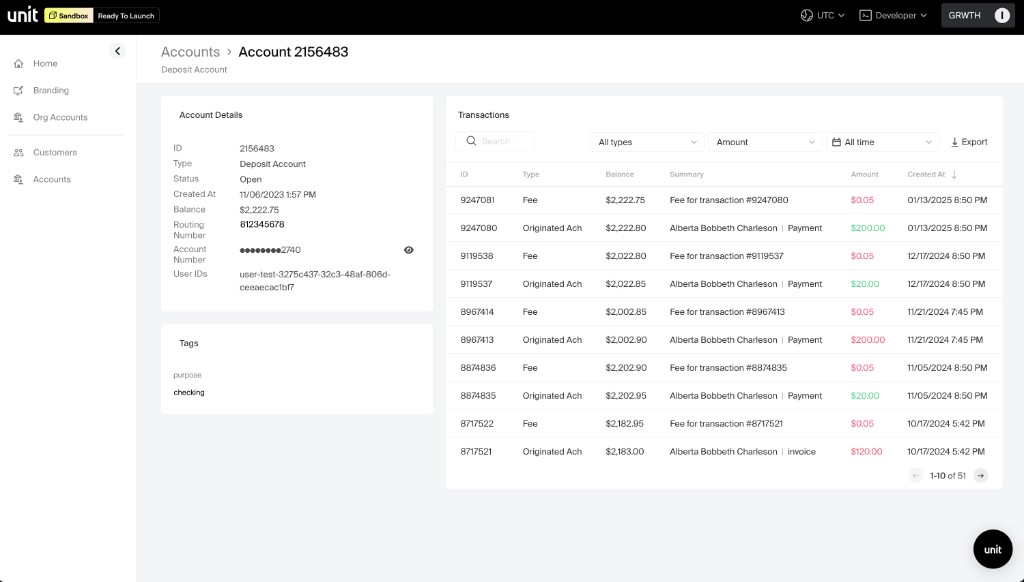
- Accounts — View account details, balances, transaction history with filtering, and export transaction reports to CSV.
- Transactions — View transaction history for customers' accounts. This capability is only available for organizations (advanced bank due diligence needed).
- Suggested Actions — View existing suggestions and their statuses, create new suggestions, or cancel existing ones.
Dashboard User Roles
Access to the dashboard is governed by user roles. The available roles and their capabilities are:
| Role | Requires Advanced Due Diligence | Role permissions |
|---|---|---|
| Managed Solutions Admin | Yes | View all customer transactions. Invite client user to dashboard. |
| Managed Solutions Operational Account Admin | Yes | View transactions for your operational account only. Invite client user to dashboard. |
| Managed Solutions Basic | No | No transaction access |
The Managed Solutions Admin and Managed Solutions Operational Account Admin roles are only available to partners who have completed advanced due diligence. Please contact Unit to enable advanced due diligence for the organization. The key distinction between these two roles and Managed Solutions Basic is the ability to view Operational account transactions and invite other users.
Signing in with SSO / SAML
Dashboard users can sign in using your organization's identity provider via SAML 2.0 single sign-on. Unit acts as the Service Provider (SP) and supports identity providers such as Okta, Azure Active Directory, and Google Workspace.
To configure SSO, an organization admin should navigate to Settings → Developer → SAML in the dashboard and follow the same configuration steps documented in the SSO / SAML guide. The guide covers the required workspace settings, the Assertion URL and Issuer values that must be shared with your identity provider, and step-by-step instructions for Okta, Azure Active Directory, and Google Workspace.
SSO / SAML is only available to partners who have completed advanced due diligence. Please contact Unit to enable advanced due diligence for the organization.
SSO does not provision dashboard users automatically. Each user that should sign in via SSO must first be invited to the dashboard using the same email address that is used with your identity provider.